




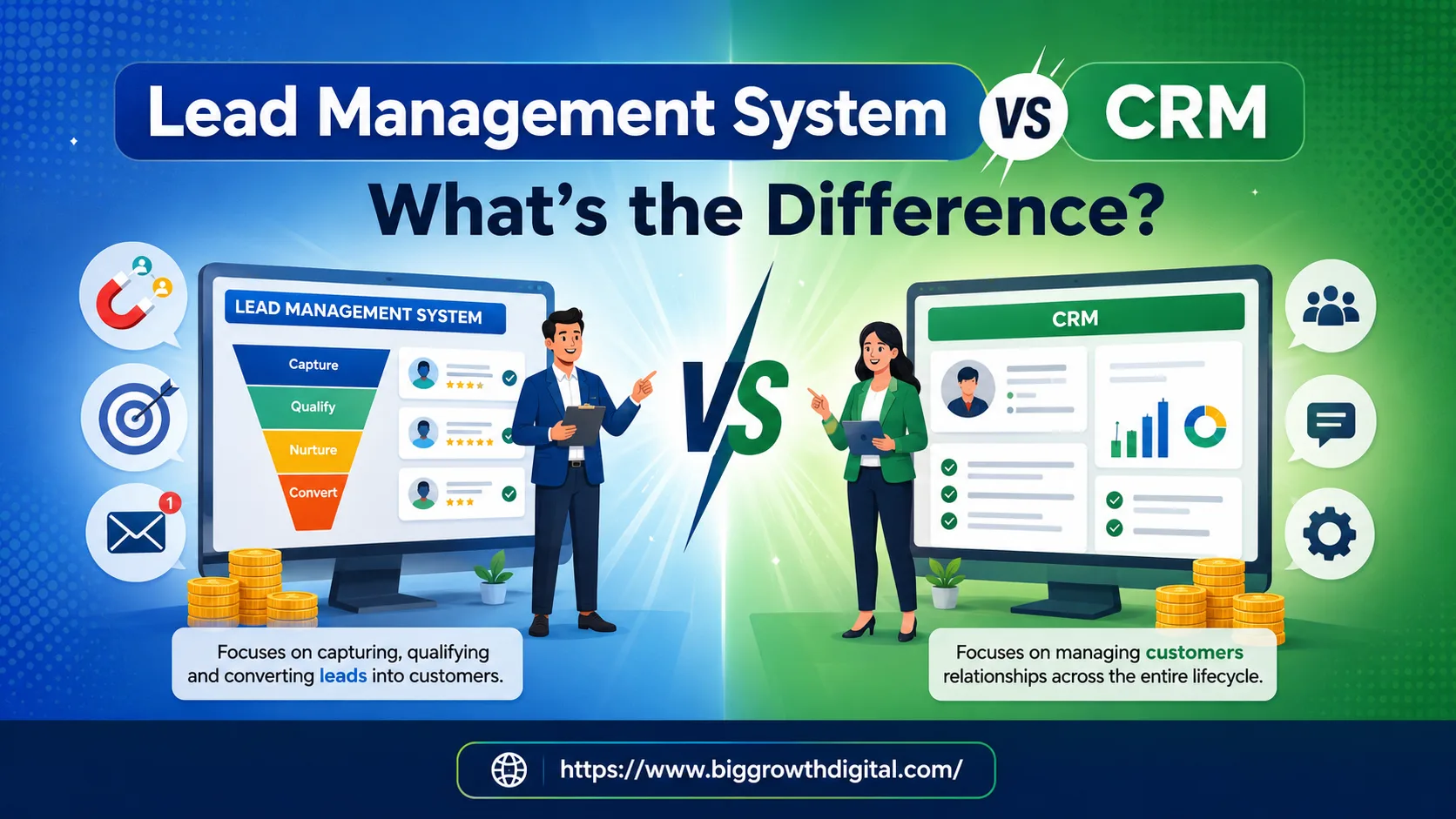
When evaluating sales tools, the lead management system vs CRM debate comes up constantly, and understandably so. Both systems overlap in features, yet they serve entirely different stages of the sales process. This guide breaks down the core differences between lead management software and CRM software, so you invest in the right tool at the right time.
Businesses often confuse lead management systems and CRMs because both tools touch the same broad goal, growing revenue, but they operate at different points in the sales pipeline and customer relationship management lifecycle. A lead management system exists to move a prospect through the top of the funnel; a CRM exists to manage that person once they become a customer. Most of the time they overlap, and in mature sales stacks, they integrate.
So before you invest, let's understand these terms clearly.
Quick Answer: A lead management system captures, scores, and nurtures leads before conversion. A CRM manages the full customer relationship after conversion, including support, retention, and upselling. Most growing businesses eventually need both, connected to each other.
What Is a Lead Management System?
A lead management system is a technology-driven framework used to capture, track, nurture, and qualify potential customers, from their initial engagement until they convert into paying customers.
It answers questions like: Where did this lead come from? Has someone followed up? How many days since last contact? Is this lead sales-qualified or still in research mode?
Core capabilities include lead scoring, lead qualification, lead capture forms, follow-up automation, and pipeline visibility, features built specifically for sales funnel speed, not long-term account management.
What Is a CRM?
CRM stands for Customer Relationship Management. It's a broader system, strategy, or software used to manage all company interactions with current and potential customers. It centralizes customer data, purchase history, communication, and contact info into a single platform to improve customer relationships, drive sales, and enhance customer service.
In a CRM context, sales pipeline management is less about chasing and more about nurturing existing relationships across the customer lifecycle, think contact management, opportunity management, workflow automation, and long-term customer retention.
Popular CRM platforms include Salesforce, HubSpot, Zoho CRM, Pipedrive, and Freshsales, each varying in setup complexity, pricing, and how deep their post-sale features go.
Quick Comparison: Lead Management System vs CRM
Factor | Lead Management System | CRM |
|---|---|---|
Primary Focus | Capturing and converting leads | Managing post-conversion customer relationships |
Funnel Stage | Top to mid-funnel | Mid to bottom funnel and beyond |
Lead Scoring | Core feature | Limited |
Sales Pipeline View | Visual kanban, action-driven | Broader, data-heavy |
Post-Sale Tracking | Not built for this | Core feature |
Setup Complexity | Low | High |
Typical Pricing | Generally lower, per-seat | Higher, tiers scale with contacts/features |
Key Users | Sales reps, lead-gen teams | Account managers, customer success, support |
Core Strength | Lead tracking, follow-up automation | Customer history, retention, upselling |
Best For | High lead volume businesses | Businesses with large, ongoing customer bases |
Integration Needs | Ad platforms, forms, landing pages | Billing, support tools, email marketing automation |
Examples | Dedicated LMS tools, industry-specific platforms like Bigestate for real estate | Salesforce, HubSpot, Zoho CRM, Pipedrive, Freshsales |
Lead Management Software as a Pre-CRM
Think of lead management software as the pre-CRM layer, and everything clicks.
It's a relay race. Lead management software runs the first leg: it captures every inquiry, scores leads by quality, tracks follow-ups, and ensures no prospect falls through the cracks. Only when a prospect crosses the conversion line does the CRM take the baton.
Businesses that skip this sequence pay a hidden cost: their CRM gets filled with cold, unqualified, or poorly tracked contacts. The result is messy pipelines, inaccurate reporting, and sales teams wasting time on bad data. A widely cited industry benchmark suggests that businesses responding to new leads within 5 minutes are significantly more likely to convert than those responding an hour or more later, which is exactly the kind of speed a dedicated lead management system is built for, but a data-heavy CRM often isn't.
Why Lead Management Comes Before CRM
Before a lead becomes a customer, they need to be captured, qualified, nurtured, and converted, that's the primary job of lead tracking software. Once they convert, the CRM takes over with deeper, long-term relationship management.
For high-volume industries like real estate, B2B sales, or insurance, where lead volumes are large and follow-up cycles are long, this distinction is especially important. Bigestate, for example, has been built around this exact flow, managing large volumes of property leads, tracking every follow-up, AI calling, and WhatsApp automation, so that by the time a prospect converts, every interaction has already been acted on.
When businesses skip the lead management stage and jump straight into a CRM, data stays incomplete and conversion rates underperform. Sequence matters.
LMS vs CRM in Real Estate
Real estate is one of the clearest cases for this distinction. A single property listing can generate hundreds of inbound inquiries across portals, ads, and referrals, most of which are unqualified. A real estate CRM alone often can't handle that inflow efficiently because it's built for relationship depth, not lead-triage speed. A dedicated lead management layer scores and routes these inquiries first, WhatsApp automation and AI calling follow up instantly, and only serious, qualified buyers get pushed into the CRM for site-visit scheduling and post-sale account management.
LMS vs CRM in B2B
In B2B sales, deal cycles are longer and multiple stakeholders are involved. Lead management software here focuses on lead qualification and marketing automation, scoring leads based on firmographic and behavioral data before handing them to sales. Once a deal closes, the CRM takes over account management, renewals, and upsell tracking, often the exact workflows tools like Salesforce and HubSpot are optimized for.
LMS vs CRM for Small Business
Small businesses with lower lead volume sometimes don't need a separate lead management layer at all, an all-in-one CRM with basic lead capture may be enough. The tipping point is usually lead volume: once manual follow-up starts causing missed leads or slow response times, a dedicated lead management system starts paying for itself, even at a small scale.
Common Mistakes Businesses Make While Using CRM or LMS
Treating CRM software as an all-in-one solution from day one: CRMs aren't built for high lead volume; they buckle under inflow pressure they weren't designed to triage.
Assuming lead management software replaces a CRM: LMS handles the "before" stage. Post-conversion relationship management needs an entirely different system.
Not integrating the two tools: Most sales and marketing teams never connect their LMS and CRM, which means clean, qualified lead data never reaches the CRM automatically.
Ignoring conversion tracking between the two systems: Without tracking which leads convert and when, neither system can be optimized properly, and ROI reporting becomes guesswork.
Choosing based on brand recognition instead of funnel stage: Picking "the CRM everyone uses" without checking whether the problem is actually pre-conversion (LMS) or post-conversion (CRM).
Benefits of CRM After Conversion of Leads
Once a lead becomes a customer, CRM software's role begins:
Every Customer Information in One Place: CRM stores purchases, conversations, and support history together, so your team understands each customer fully.
Smarter Upselling & Cross-Selling: By reviewing past customer behavior, CRM helps your team suggest the right products or services at the right time, directly improving ROI on existing accounts.
Helps Reduce Customer Loss: CRM flags when customers go quiet or stop interacting, helping your team reconnect before they churn, a core driver of customer retention.
Better Team Coordination: Sales, support, and account teams access the same customer information, avoiding confusion and repeated communication.
Builds Long-Term Customer Relationships: Unlike lead management software, which mainly focuses on acquisition, a CRM helps businesses maintain strong relationships with customers even after the sale.
Which Should You Choose?
If leads aren't converting and inquiries are slipping through the cracks, start with lead management software. If customers aren't sticking around after the sale, invest in CRM software. If you're past early-stage and both problems exist simultaneously, you need both, connected.
Can You Use Both?
Yes, and for most growing businesses, this is the end state, not an edge case. Platforms like Bigestate combine both layers, lead tracking before conversion and relationship management after, particularly useful for high-volume industries like real estate, so no lead slips before conversion and no customer gets lost after it.
Not sure which system your business needs first? Start by auditing your current conversion rate. If leads are dropping off before closing, lead management software is your priority. If customers are churning after the sale, prioritize CRM.
Decision Checklist: Which Do You Need First?
Do you receive a high volume of inbound leads that go unresponded to for hours? → You need a lead management system. Are leads currently tracked in spreadsheets or scattered across ad platforms? → You need a lead management system. Do you already have consistent post-sale relationships to manage (renewals, support, upsells)? → You need a CRM. Is your sales team spending more time on data entry than selling? → Your current CRM may be the wrong tool for this stage. Do you need both lead capture and long-term account management? → You need an integrated LMS + CRM setup.
Key Takeaways
Lead management systems and CRM are not the same thing: one manages prospects before conversion, the other manages customers after it. Use lead management software for high-volume pipelines: it captures, scores, qualifies, and nurtures leads in a way CRM software alone isn't built to handle at scale. CRM software shines post-conversion: it helps businesses manage relationships, improve retention, increase upsell revenue, and keep teams coordinated. Integration is everything: when LMS and CRM are connected, the sales process becomes smooth and organized instead of leaking data between stages. Lead quality matters more than lead volume: chasing raw numbers without qualification wastes budget and overloads your team. Both systems need time and clean data to perform: don't judge results too early or scale too fast before the foundation is solid.
FAQs
Q. What is the difference between a lead management system and CRM?
A lead management system handles prospects before they convert, capturing, scoring, and tracking leads through your pipeline. A CRM takes over after conversion, managing customer relationships, upsells, and long-term communication. Think of LMS as pre-sale, CRM as post-sale.
Q. What are the 4 types of CRM systems? The four primary types of CRM systems are operational, analytical, collaborative, and strategic, each optimized for different parts of the customer relationship workflow.
Q. What is lead management software?
Lead management software tracks each lead's progress through your sales funnel, from initial contact to close, including scoring, routing, and follow-up automation.
Q. Is WhatsApp a CRM?
Not on its own, but WhatsApp CRM integrations help sales reps manage leads, track interactions, and follow up on prospects directly within WhatsApp, often layered on top of an existing LMS or CRM.
Q. Can CRM replace lead management software? Not effectively at scale. CRMs aren't built for high-volume lead triage and scoring; using one as your only system for inbound leads usually leads to missed follow-ups and messy data.
Q. Can lead management software integrate with a CRM?
Yes, this is the standard setup for growing businesses. Qualified leads flow automatically from the LMS into the CRM once they convert, keeping both systems clean.
Q. Which is cheaper, a lead management system or a CRM?
Lead management systems are generally lower-cost and faster to deploy since they're narrower in scope. CRM pricing scales with contact volume, features, and team size, and can get expensive at enterprise tiers.
Q. Can a small business use a CRM without a separate lead management system?
Yes, if lead volume is low. Once manual follow-up starts causing missed or delayed responses, a dedicated lead management layer usually becomes worth the investment.
Q. Is a CRM necessary for every business?
Not immediately. Businesses with low repeat-customer interaction (one-time sales, short relationship cycles) may need only a lead management system. Ongoing relationship-heavy businesses need a CRM.
Q. What is the best CRM for small businesses?
This depends on budget and complexity needs, HubSpot and Zoho CRM are commonly used starting points, while Salesforce and Pipedrive suit teams needing deeper customization.
Q. What is the best lead management system for real estate?
Industry-specific platforms built for high inbound volume, like Bigestate, tend to outperform generic CRMs adapted for real estate, since they're designed around fast lead response and follow-up automation from day one.
Q. How do I know if my business needs both LMS and CRM?
If you have both a lead-response problem (slow follow-ups, missed inquiries) and a retention problem (customers going quiet after the sale), you need both systems, integrated.